Sign up, login, logout and protected route behavior.
Streaming UI Clone
Netflix Clone
A frontend practice project that recreates familiar streaming patterns with a dark visual system, media rows, detail pages, and responsive browsing.
Educational clone project only. It is not affiliated with Netflix and has no deployed live demo.
Overview
What it is
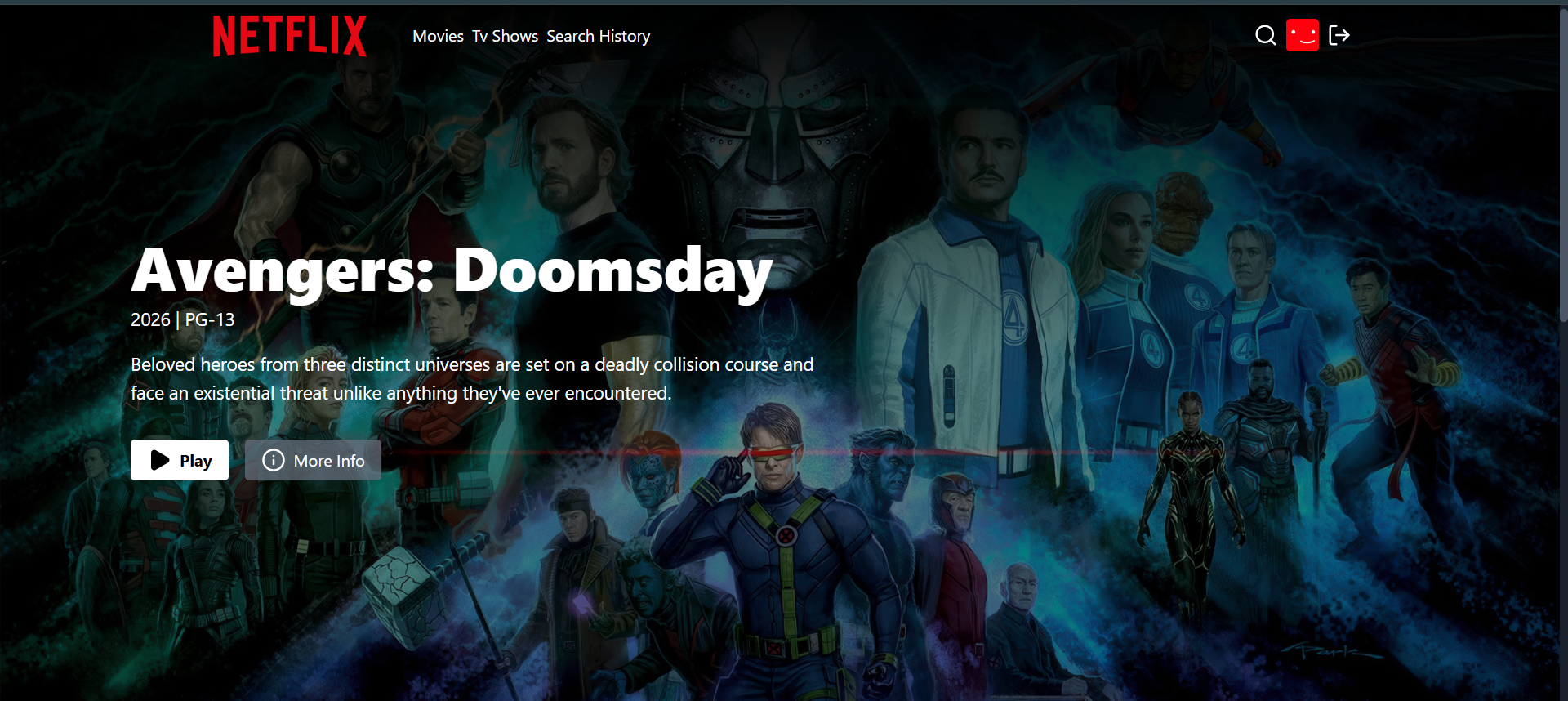
Netflix Clone recreates familiar streaming app browsing patterns with authentication, media rows, movie and TV data, watch screens, detail screens and search history.
The goal was to practice dark UI composition, protected app routes, external media APIs, and responsive media browsing.
Designed for: A learning portfolio context, not a commercial streaming service.
Key Features
Verified product behavior
Backend auth, movie, TV, and search routes.
TMDB service integration for movies, TV, search, trailers, and related media data.
Home, auth, watch, search, search history and not found pages.
Reusable movie slider and media browsing components.
Zustand state management and cookie based JWT auth.
User Flow
Product journey
- A visitor reaches the landing/auth experience.
- They sign up or log in and enter protected browsing screens.
- The app loads movie or TV rows from TMDB-backed routes.
- Users can open watch/detail screens and search for media or people.
- Search activity is reflected in search-history flows.
Architecture
How it is built
Vite, React 19, React Router, Zustand, axios, lucide-react, Tailwind-style styling, and reusable media components.
Express 5 with auth, movie, TV, and search route groups.
MongoDB and Mongoose user model for account and search-history data.
JWT cookie named for the clone project and protected route middleware.
TMDB service wrapper for movie, TV, trailer, search and similar content requests.
Data and APIs
Models and route responsibilities
Data model
- User model supports authentication data and search history behavior.
- Search controllers coordinate media/person search and history operations.
API design
- Auth routes handle sign-up, login, logout, and auth checks.
- Movie and TV routes fetch TMDB-backed categories, details, trailers, and similar media.
- Search routes query TMDB and manage search history.
Challenges
Problems I worked through
Dense media layout
Reusable rows and sliders keep browsing screens consistent across many media items.
Protected media app flow
Backend middleware protects routes while frontend routing separates auth and browsing states.
External API integration
TMDB access is wrapped in backend service functions instead of being scattered across UI components.
Screenshots
Product walkthrough
Reflection
What I learned
This project improved my understanding of protected routes, external API use, search flows and responsive dark UI patterns.
Future improvements
- Add automated tests around TMDB service wrappers and auth routes.
- Improve loading and empty states for unavailable media results.
- Improve row navigation and keyboard browsing.
Deliberately omitted
- No live-demo button, deployment URL, affiliation, or production-business claim was added.
Verified From