Email/password authentication with JWT access tokens and HttpOnly refresh cookies.
Overview
What it is
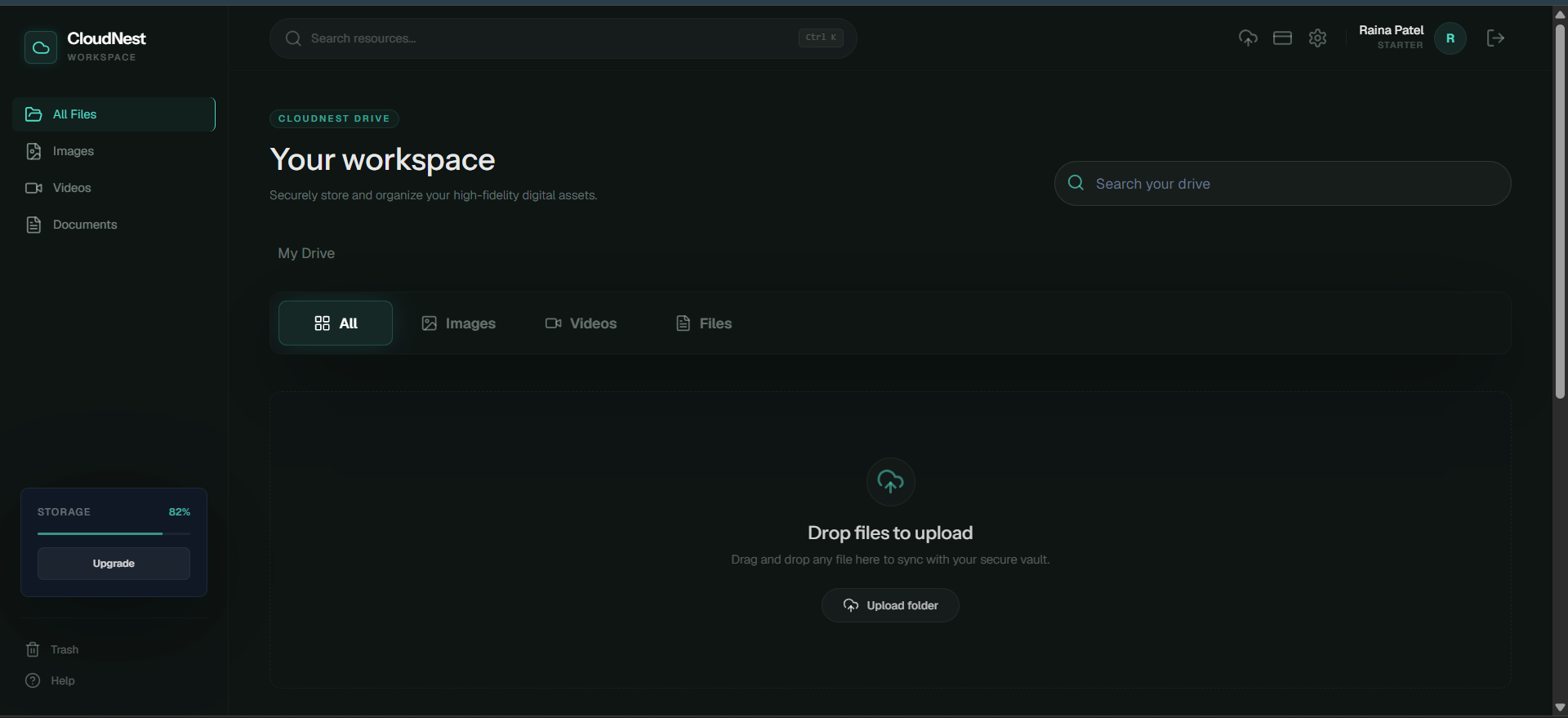
CloudNest Drive is a cloud storage dashboard with file and folder organization, media previews, trash recovery, sharing, billing and support flows.
The goal was to practice a complete storage application with secure authentication, cloud upload handling, metadata models and dashboard UX.
Designed for: Users who need authenticated file uploads, folders, sharing, previews, and storage account controls.
Key Features
Verified product behavior
Google OAuth route support through backend auth callbacks.
File upload, list, update, copy, trash, restore, delete, download, and preview routes.
Folder create, list, update, trash, restore, and delete routes.
Cloudinary integration for cloud file storage.
Shared link, billing, Stripe, dashboard and support flows.
Subscription and quota data models.
User Flow
Product journey
- A user signs up, signs in, or enters through Google OAuth.
- They upload files, create folders, and browse dashboard storage views.
- Files can be previewed, downloaded, shared, moved to trash, restored, or deleted.
- Billing and subscription screens support quota based account behavior.
Architecture
How it is built
React, Vite, React Router, React Query, Zustand, react-dropzone, Framer Motion, GSAP, and Stripe UI packages.
Node.js and Express with auth, files, folders, shares, billing, Stripe, and dashboard routes.
MongoDB and Mongoose models for users, files, folders, shared links, subscriptions, and activity.
Cloudinary, multer, and Cloudinary storage packages for file/media handling.
Stripe backend and frontend packages for subscription flows.
Data and APIs
Models and route responsibilities
Data model
- User, File, Folder, SharedLink, Subscription, and Activity models are present.
- File and folder routes coordinate metadata, ownership, trash state, preview, and download behavior.
API design
- Auth routes handle email/password, Google OAuth, refresh, and protected sessions.
- File routes handle upload and file lifecycle operations.
- Folder routes manage hierarchical organization.
- Share, billing, Stripe, and dashboard routes support account-level workflows.
Challenges
Problems I worked through
File lifecycle states
Separate file and folder routes handle upload, trash, restore, delete, preview, and download responsibilities.
Cloud media references
Cloudinary packages and server-side upload handling keep uploaded assets connected to database metadata.
Account security
JWT access tokens and HttpOnly refresh-cookie logic are used for authenticated storage operations.
Screenshots
Product walkthrough
Reflection
What I learned
CloudNest Drive improved my understanding of upload pipelines, file metadata, protected APIs, and dashboard state management.
Future improvements
- Add automated tests for file and folder lifecycle routes.
- Improve upload retry and large-file progress states.
- Add stronger sharing permission controls.
Deliberately omitted
- No storage-scale, user-count, or uptime claims were added.
Verified From